Diatom
Building a bespoke design system for a complex B2B web product
In 2020, a migration from Angular to React and the adoption of a new headless CMS created the opportunity to look at selinc.com honestly. The audit revealed just how inconsistent things had become across components, layouts, and content. It was clear that a proper design system wasn't a nice-to-have and was really the only way to move forward with any coherence.
The First Decision: Build or Adopt
The first real decision was whether to adopt an existing open-source system or build our own. Selinc.com is a large, content-heavy B2B site with industry-specific needs that ranges in complexity and content types. We determined that a custom system would give us the flexibility an off-the-shelf solution couldn't.
We went with an atomic design approach, breaking components into Atoms, Molecules, and Organisms and defining foundational styles before building upward. Starting from scratch is daunting at scale, but atomic design made it manageable by establishing clear, logical relationships between components that the team could build on incrementally over time.
Governance: How Diatom Stays Intentional
A design system without governance is just a component library that slowly becomes inconsistent again. From early on, the goal was to make Diatom a system with opinions — one that could grow without losing coherence.
The Figma workspace is structured around that philosophy. Four folders define how work moves through the system:

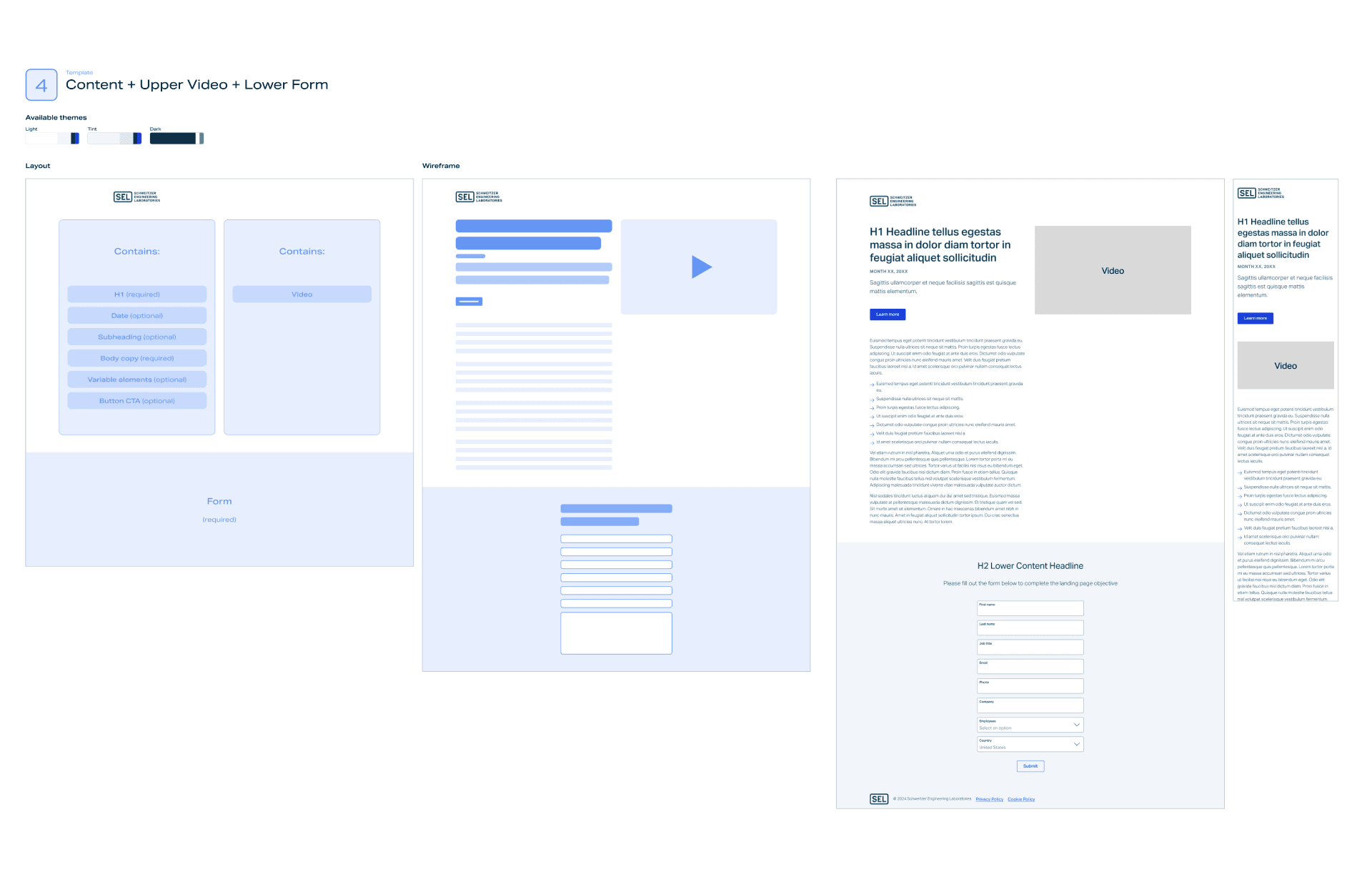


What Diatom Has Made Possible
The impact of the system becomes clearest when you look at what the team can do now that wasn't possible before.
Before Diatom, there was no established dev handoff process.
Design and development were working without a shared language or baseline. The design system created a common reference point that both teams could work from, which fundamentally changed how design and engineering collaborate on selinc.com.


Marketing landing pages have been the most visible efficiency gain.
Before the system existed, putting together a fully built page ready for review took a day or more.
With Diatom, the same work takes one to two hours, provided content and assets are ready. Pages are assembled from existing components rather than designed from scratch, which also eliminated the inconsistencies and custom CSS classes that accumulated under the old approach.


The system has extended beyond design and dev entirely.
We built a set of modular Pardot landing page templates that program managers use independently for quick-turn campaigns: complete with built-in analytics and lead capture. Non-designers are running campaigns using a system built on Diatom's foundations without needing design or dev resources for every execution.


Accessibility has also been addressed more systematically as a result.
Violations were resolved at the component level by replacing flat PNGs with structured HTML, enabling keyboard navigation, and providing clear visual feedback. WCAG AA compliance became something the system carries forward automatically rather than something that has to be re-litigated on every new page.


Reflection
Looking back, I would approach the early stages differently, and I think that's a sign of how much I've grown.
From a resourcing standpoint, starting with an open‑source design system as a foundation would have reduced the initial burden. At the time, we underestimated the development effort required to build, iterate on, and maintain a fully custom system at the necessary pace.
From a design perspective, my understanding of development-ready components has deepened significantly. I’ve actively invested in that growth—studying other systems in Storybook, researching best practices, and progressively introducing design tokens and variables into the Figma Diatom library.
Through continuous learning and iteration, Diatom has evolved into a system I’m proud of—one that reflects both the technical needs of the product and my own growth as a systems‑focused designer.