Software Product Template
Building a template optimized for software product journeys
SEL's software products had outgrown the page template they were living on.
The existing template was designed for hardware. Retrofitting software content into it meant constantly working around constraints and the structure didn't reflect how software is evaluated, how its audiences behave, or how its content is organized. Product line owners needed something built from the ground up for software: a flexible, modular structure that could accommodate varied content requirements while still feeling cohesive across products. I led the project from research through final dev-ready specs.
Understanding the audience
Research and program manager input identified two distinct user audiences with different needs and entry points.
New customers would arrive primarily through social and digital advertising. They needed a high-level, approachable introduction to the product, not a wall of technical specifications. Existing customers, on the other hand, would navigate directly to support documentation, downloads, and resources via the menu, search, or product selector. They already knew what they were looking for and needed to get there quickly.
Designing for both audiences on the same page required careful thinking about hierarchy, in-page navigation, and what content deserved visual prominence versus what could live deeper in the structure. The overview landing page serves the new customer's entry point. It was an approachable, benefit-led, clear pathway forward. The details section serves the existing customer's need for structured, scannable technical content with high-value items given appropriate prominence.

The Harder Challenge: Designing For a Moving Target
The design itself was manageable, but the strategy, content, and scope evolved throughout the project. Those shifts had real downstream effects on information hierarchy, content requirements, and the conversion path to sales.
The key features cards are a clear example of this. They were initially designed with a deliberate UX rationale: a high-level, approachable entry point using short feature names and a brief supporting sentence, with technical depth living further down the page in the closer look section. As the project progressed, content direction pushed against that structure. Feature descriptions started expanding into dense technical language, and there were requests to repeat content across multiple sections of the page.
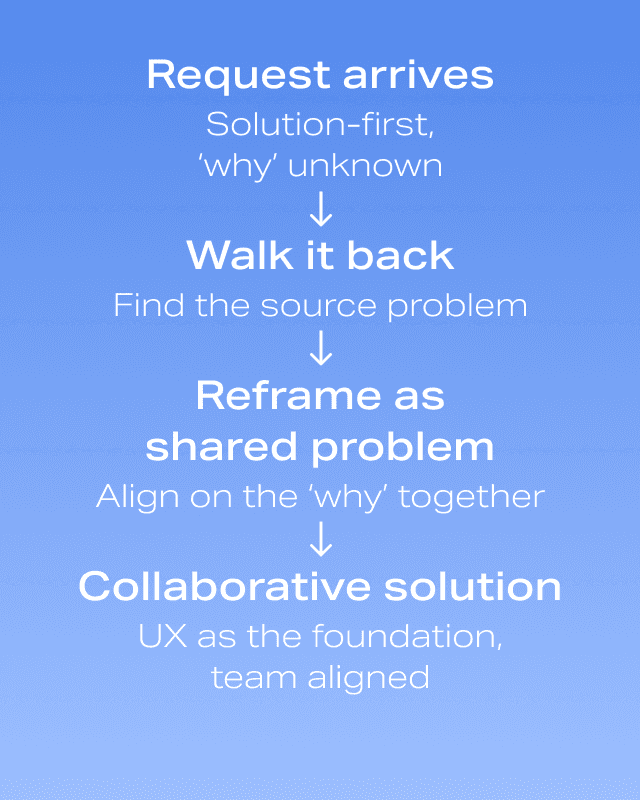
Each time, I returned to the same question: what is the user's experience at this point in the page, and what do they actually need here? I re-illustrated the user journey, reiterated the purpose of the overview section, and made the case for keeping complexity where it belonged. There were wins and losses and some content decisions didn't go the way I would have recommended. But the core structure held, and the template launched with its UX logic intact.
Design Decisions
The modular details structure was central to making the template work across varied software products.
Not every product has the same content — some have more technical depth, some have different resource types, some have more complex application relationships. Flexible modules allow each product to present its content appropriately without requiring a custom template for each one.
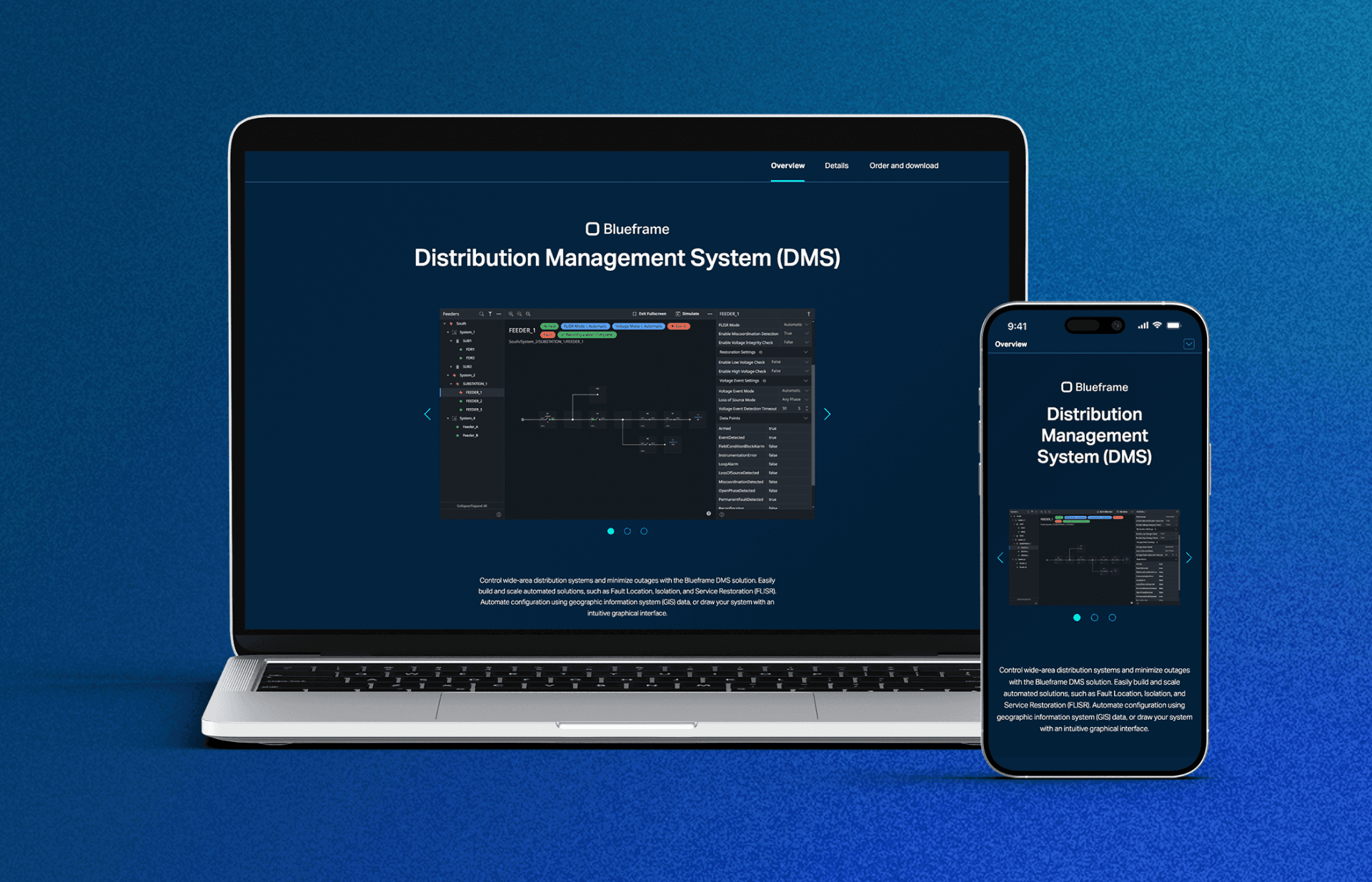
Competitive analysis informed the navigation pattern.
Breadcrumb-heavy navigation consistently caused users to lose context and struggle to find their way back to relevant product content. Tabbed content categories keep all key product information within a single visible interface, reducing friction and keeping users oriented without requiring them to navigate away from the page.

The conversion path was designed around SEL's sales strategy.
Since these are complex software products with licensing considerations that require direct sales involvement. Rather than a traditional e-commerce checkout, the template guides users toward sales contact through contextually appropriate calls to action that vary by product and sales scenario.

Outcomes
Five software products are now on the template with three live, two in progress pending content finalization. In practice, the modular structure has held up: no content has felt out of place, and assets have always had a home within the existing framework.
One post-launch improvement strengthened the system further. Application cards (used when a software product includes related applications) were rebuilt as single-source references. When an application appears across multiple software products, its content can now be edited in one place and reflected consistently everywhere it appears. It's a small structural decision with meaningful long-term payoff: consistent content, less maintenance overhead, and a template that scales cleanly as more products come online.

The call to action continues to be refined as varied sales scenarios emerge — order and download, download only, order now, contact us. That's an expected evolution for a template serving products at different stages with different commercial requirements, and the structure accommodates it without requiring design intervention each time.
Reflection
The year between design completion and launch wasn't spent refining the design, but rather waiting on content decisions being negotiated between program managers and product owners. The template was ready; the content strategy wasn't. This is an organizational process and structure issue out of my control, but it confirmed that pushing for an iterative release process earlier in the project would have been the right move. Launching with a well-structured foundation and refining based on real user behavior would have been more productive than an extended internal alignment process. Real feedback is almost always more useful than anticipated feedback.
More intentional content planning upfront would also have reduced the moving target problem significantly. The in-page navigation grew more complex than it needed to as content scope expanded mid-project. A clearer content framework established before design began would have given stakeholders a structure to work within rather than a design to push against.
I found myself walking back design requests received from the program side of the process to the source problem where I could find a user-based solution with context to the real issue. This practice makes decisions less about opinion and keeps the design aligned to the user needs..